
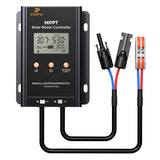



The controller may have entered power reduction mode due to high internal temperature. Check ventilation and ensure adequate airflow. Full power charging will resume automatically when the temperature drops below 60'C.
-
⚡フラッシュセール製品
-
ポータブルソーラーパネル
-
ソーラーパネル(硬質)
-
フレキシブルソーラーパネル
-
ワット数別ソーラーパネル
-
Boost MPPT Controllers
-
モバイルバッテリー
-
再生ソーラーパネル
-
アクセサリー
シナリオブログ会社概要サポート -


20A 12/24V PWMソーラー充電コントローラー
4999
Free & Fast Shipping
30-Day Money back
Professional Support
Shipping Method
Delivery time: 3-8 business days


Perfectly Compatible With
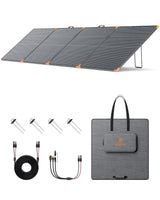
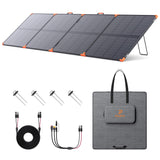
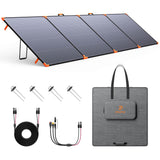
Simply plug & play using included adapters.
* Note: Only popular models are listed above. If your power station's input voltage, current, and port type match this panel's specs, it will work perfectly too! Still unsure? Contact us.
シェア

Elite Efficiency in Every Watt
Maximize your solar harvesting performance. Featuring an exceptional 99% tracking efficiency and a stellar 97% conversion rate, this boost controller ensures virtually zero energy loss from your solar panels to your battery bank.

Solid Potted IP65 Waterproof Design
Built to brave the harshest elements. The internal circuitry is fully encapsulated with industrial-grade solid potting, delivering robust IP65-rated protection against heavy rain, dust, moisture, and outdoor vibrations.

Customizable Settings for Exact Voltage Cutoff
Precision charging tailored to your exact battery pack. With flexible string settings (2S to 24S), you can easily program precise voltage cutoffs for Lead-Acid (GEL), Lithium Iron Phosphate (LFP), and Ternary Lithium (Li) batteries.

Rapid Heat Dissipation & Plug-and-Play
Engineered for reliable, long-term operation. The rugged aluminum alloy housing provides rapid passive heat dissipation, while the standard plug-and-play MC4 connectors make connecting your solar panels quick and hassle-free.

Comprehensive Electronic Protection
Safety is built into every circuit. Equipped with advanced multi-layer protections—including Over-Voltage, Over-Current, Over-Charge, Reverse Polarity, Over-Temperature, and Anti-Reverse Flow safeguards—keeping your system completely secure.

Powerful Specs, Unlimited Freedom
Handling a PV input range of 13V to 60V and supporting system voltages from 24V up to 72V, this 15A max boost controller is your ultimate off-grid energy bridge. Critical Operating Rule: Ensure your solar panel voltage (Voc) is lower than your battery voltage.

Elite Efficiency for DIY & Off-Grid Power
Maximize your solar harvesting performance. Whether you are building a custom DIY battery pack, upgrading your e-mobility ride, or designing a mobile power station, this controller delivers an exceptional 99% tracking efficiency and a stellar 97% conversion rate with virtually zero energy loss.

What's in the box?

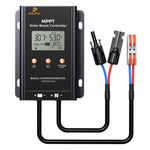
ZOUPW 500W MPPT Solar Boost Controller (×1)

User Manual (×1)
Specs
| Model | DY-MUSC-F500W |
| SKU | ZP-MPB-15A-US |
| Nominal Battery Voltage | 24V/36V/48V/60V/72V |
| Supported Battery Types | Ternary lithium (Li), Lithium iron phosphate (LFP), Lead-acid (GEL) |
| PV Input Voltage Range | 13V~60V |
| Rated Charging Current | 15A |
| Max PV input Power | 500W |
| Net Weight | Approx 1.3lbs / 600g |
| Gross Weight | Approx 1.5lbs / 700g |
| IP Rating | IP65 |
| Altitude | ≤2000 m |
| Product Dimensions (excl. cables) | 4.8 x 2.9 x 1.5 in / 123x74x39 mm |
Downloads
User Manual
20A 12/24V PWMソーラー充電コントローラー Guide (PDF)